Managing dependencies is crucial for maintaining a secure and up-to-date codebase. GitHub provides Dependabot, a powerful tool that helps automate dependency updates and security fixes. In this post, we will cover the key features of Dependabot and how to configure it for your repositories.
Dependabot Features
- Security Alerts
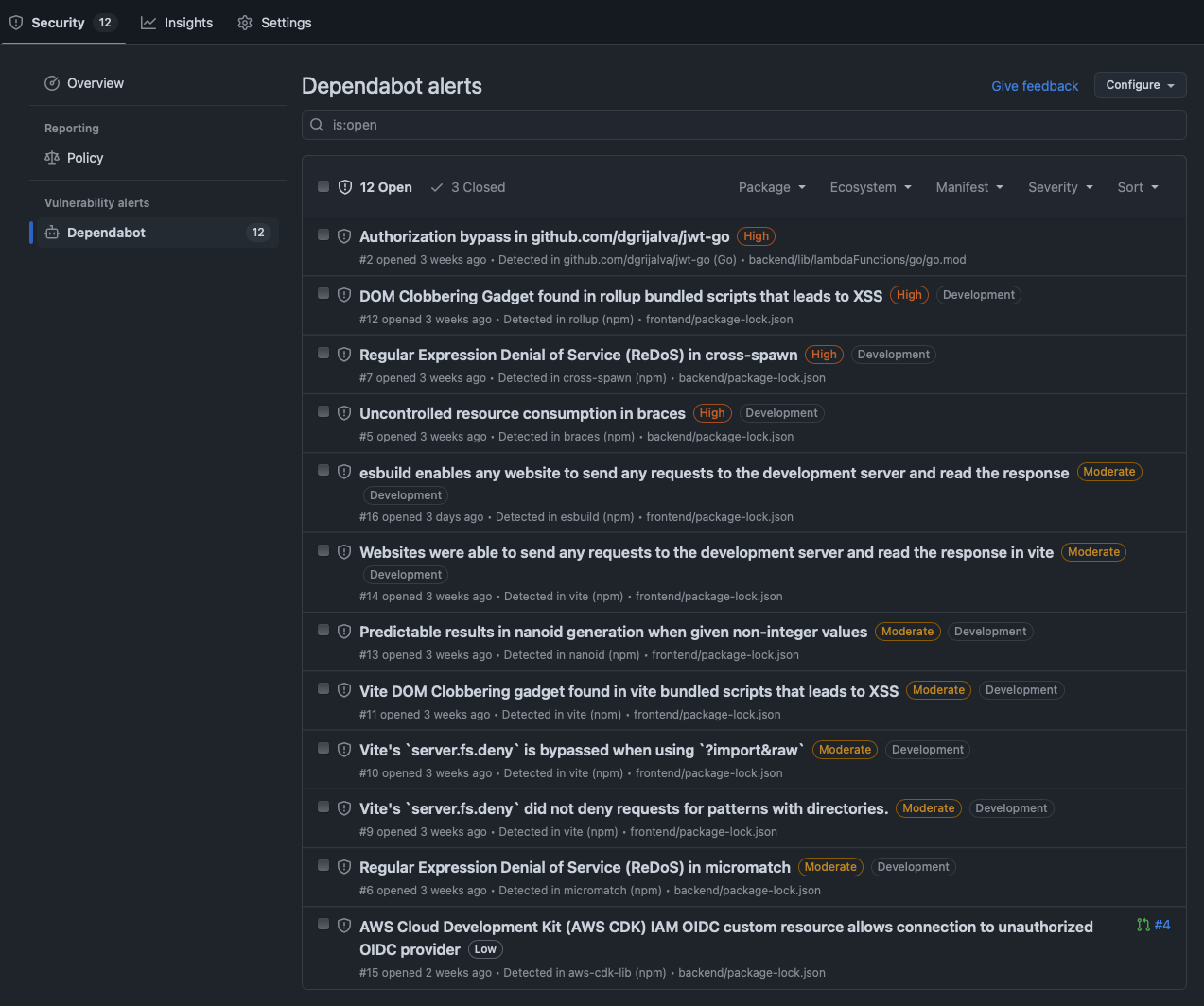
Dependabot automatically scans your repository for security vulnerabilities and displays alerts in the GitHub UI. You can enable this feature for an individual repository or across your entire organization.
- Security Updates
When security vulnerabilities are detected, Dependabot can create pull requests (PRs) to apply the necessary fixes. To enable this feature:
- Navigate to your repository settings in GitHub UI.
- Enable Dependabot security updates.
- Regular Dependency Updates
Apart from security updates, Dependabot also offers regular updates for supported dependencies. This ensures your dependencies remain up to date by automatically creating PRs when new versions are available.
Configuring Dependabot with dependabot.yaml
For more control over updates, you can configure Dependabot using a .github/dependabot.yaml file. Below is an example configuration for managing Terraform dependencies:
version: 2
updates:
  - package-ecosystem: "terraform" # Specify the ecosystem (e.g., npm, pip, maven, etc.)
    directories:
      - "**/*" # Define the location of package manifests
    schedule:
      interval: "weekly" # Set the update frequency
Explanation of the Configuration:
- package-ecosystem: Specifies the type of dependency manager (e.g., Terraform, npm, pip, etc.).
- directories: Defines the paths where dependencies are located.
- schedule: Sets how often Dependabot checks for updates (e.g., daily, weekly, or monthly).
Final Thoughts
Dependabot is an essential tool for automating dependency management, reducing security risks, and keeping your project up to date with minimal effort. By enabling security alerts, security updates, and regular updates, you can ensure a more secure and maintainable codebase.