I recently encountered an issue where Thanos Compactor stopped working due to overlapping blocks. Through debugging and troubleshooting, I identified the root cause and resolved the problem. Here’s how I resolved it and how you can too.
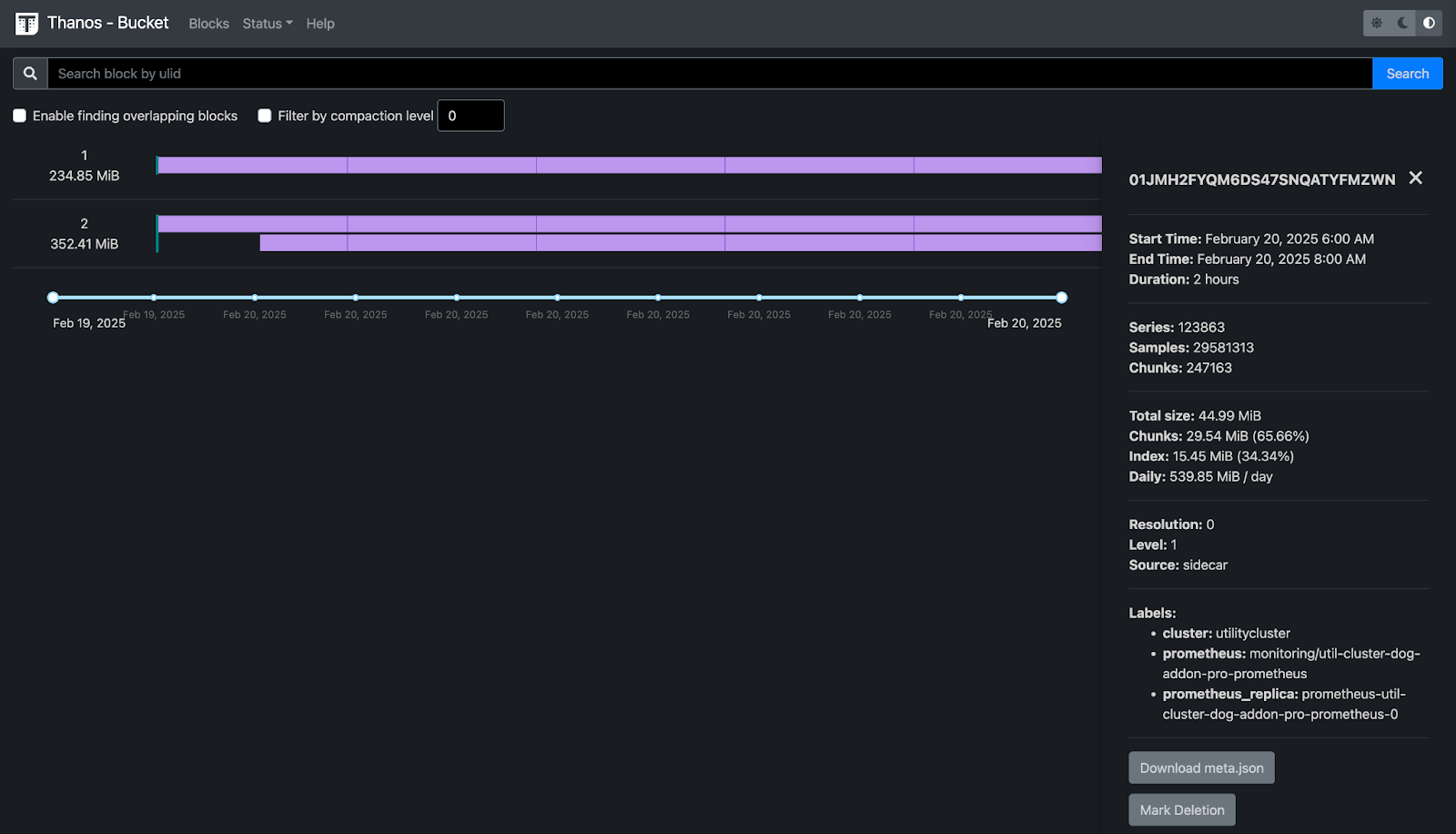
Thanos Compactor is a crucial component in Thanos that ensures long-term storage efficiency by deduplicating and compacting TSDB blocks. However, it can sometimes stop working when it encounters a critical error, such as multiple blocks overlapping for the same time window. Unlike traditional crashes where the process exits, Thanos Compactor does not automatically restart in this case. Instead, it sets the metric thanos_compact_halted to 1, which is the only way to detect whether it is currently running or not.
Setting Up a Grafana Alert for thanos_compact_halted
Since Thanos Compactor does not crash when it halts, the best way to monitor its health is by setting up a Grafana alert that triggers when thanos_compact_halted is 1. This ensures that we are immediately notified when such an event occurs, allowing for quick intervention.
Debugging Overlapping Blocks in Thanos
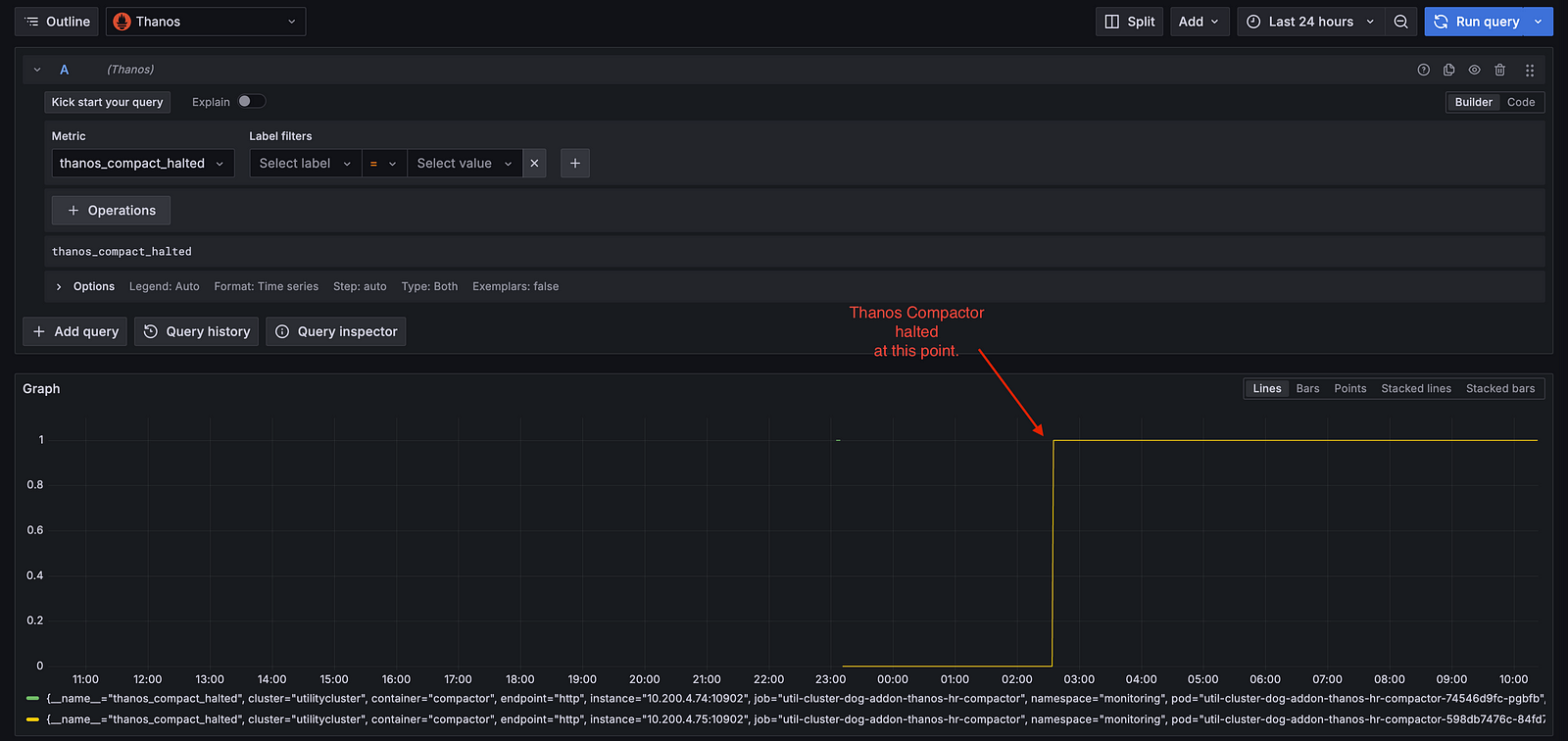
One of the primary reasons Thanos Compactor stops is due to overlapping blocks. Debugging these overlaps effectively requires visibility into the produced blocks, which can be achieved using the Thanos CLI tool.
Installing the Thanos CLI
If you haven’t installed the Thanos CLI yet, you can do so using Homebrew:
brew install thanos
Using thanos tools bucket web to Identify Overlapping Block
Thanos provides a web interface to visualize blocks and detect overlaps. To launch it, run the following command:
thanos tools bucket web --objstore.config-file=objstore.yaml
Once the command is executed, the web interface will be available at:
http://localhost:10902Here, you can inspect the blocks produced by Thanos and identify any overlapping blocks.
Possible Causes of Overlapping Blocks
Several issues can lead to overlapping blocks in Thanos. Below are the most common ones:
- Unsupported Filesystem for PVCs: If Thanos Sidecar is using a PVC backed by an unsupported filesystem (such as NFS), it can lead to overlapping block generation.
- Multiple Components Producing Blocks with Identical External Labels: If multiple Thanos components (such as Sidecars and Receivers) are producing blocks with the same external labels, Thanos cannot distinguish between them, resulting in overlapping blocks.
How I Resolved This Issue 🚀
As it turns out, there was no distinguishing label between my prometheus instances. Adding an extra label to the external labels ensured that, each Prometheus instance is uniquely labelled across our Thanos components which sold the overlapping blocks issue.
Conclusion
Thanos Compactor halting due to overlapping blocks is a critical issue that can impact long-term storage efficiency. By monitoring thanos_compact_halted via Grafana alerts and using thanos tools bucket web for debugging, we can quickly identify and resolve these issues, ensuring Thanos operates smoothly.